The homeschool app for iPhone
Are we actually going to
finish by summer?
It’s the question behind every sick week, every field trip, every “let’s just take today off.” Curriculum Pacer finally answers it for every book and every child, without asking you to plan a single day.
The flu, the dentist, the week everything fell apart: your plan already left room for them. A hard week is just a week.
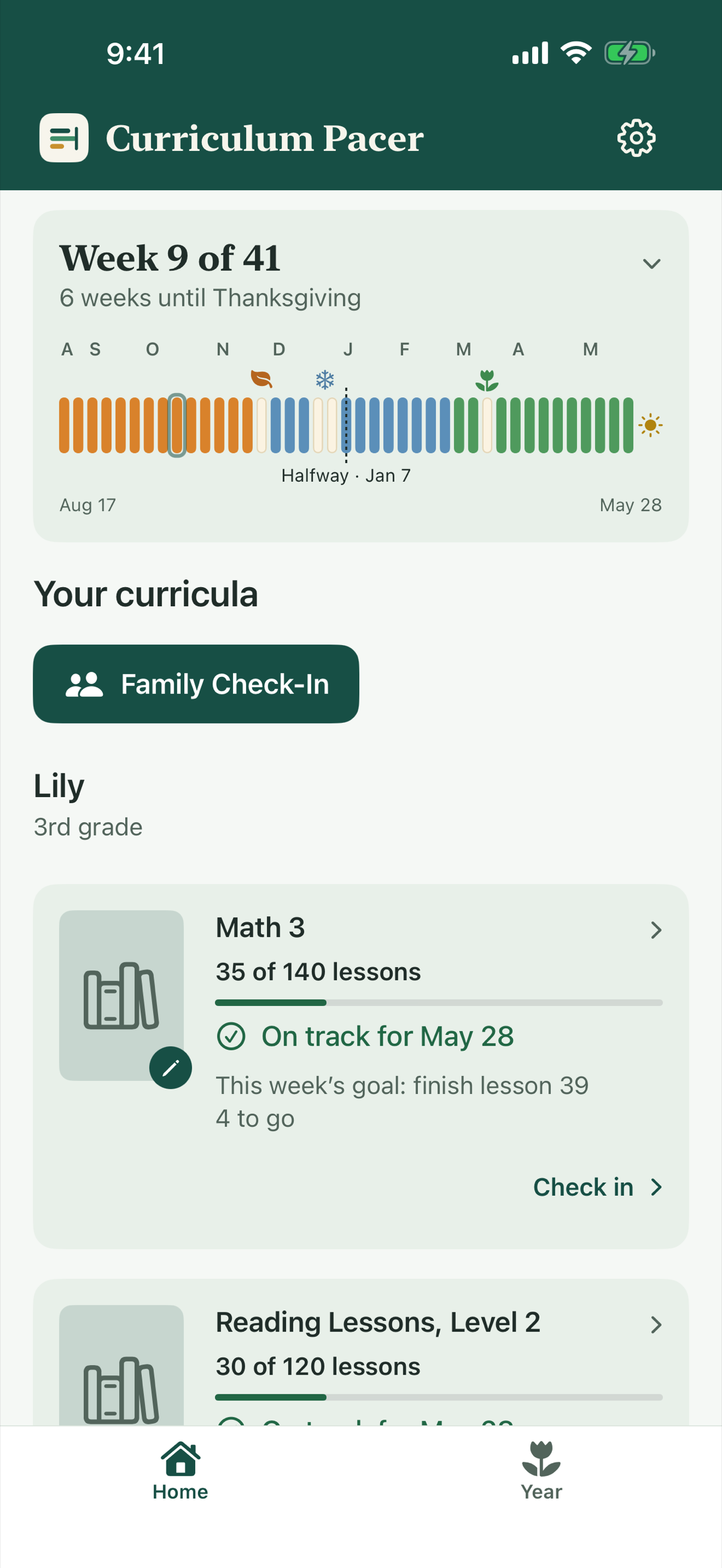
No entering every assignment.
No assigning lessons to dates.
No checking off every lesson.
How it works
Add your books and breaks.
We’ll do the math.
Forget the August night at the kitchen table with a calculator, a calendar and a prayer. Tell Curriculum Pacer what you’re using, when you want to finish and when you’re taking time off. It works out the pace for every book.
- 1
Start with one book.
Tell it what you’re using, where you are today and when you want to finish.
- 2
See what it really takes.
First the pace on paper. Then make room for real life: your breaks, plus the breathing room you choose.
- 3
Get a plan you can trust.
“If Lily is sick for a week, you’ll still finish by May 28.”
Every book after that is quicker. Your school days and breaks are already set. I set up seven books in about two minutes.
A check-in you can keep up with
So easy you’ll
actually keep doing it.
Pick up the book. Type the lesson you’re on. That’s a check-in. Who knew it could be this easy? Each book takes seconds, and every subject tells you plainly whether you’re on track to finish. Nothing to keep up with.
Lily has finished lesson 39. Enter 39, not a list of every lesson she’s done since the last check-in.
See what that one number tells you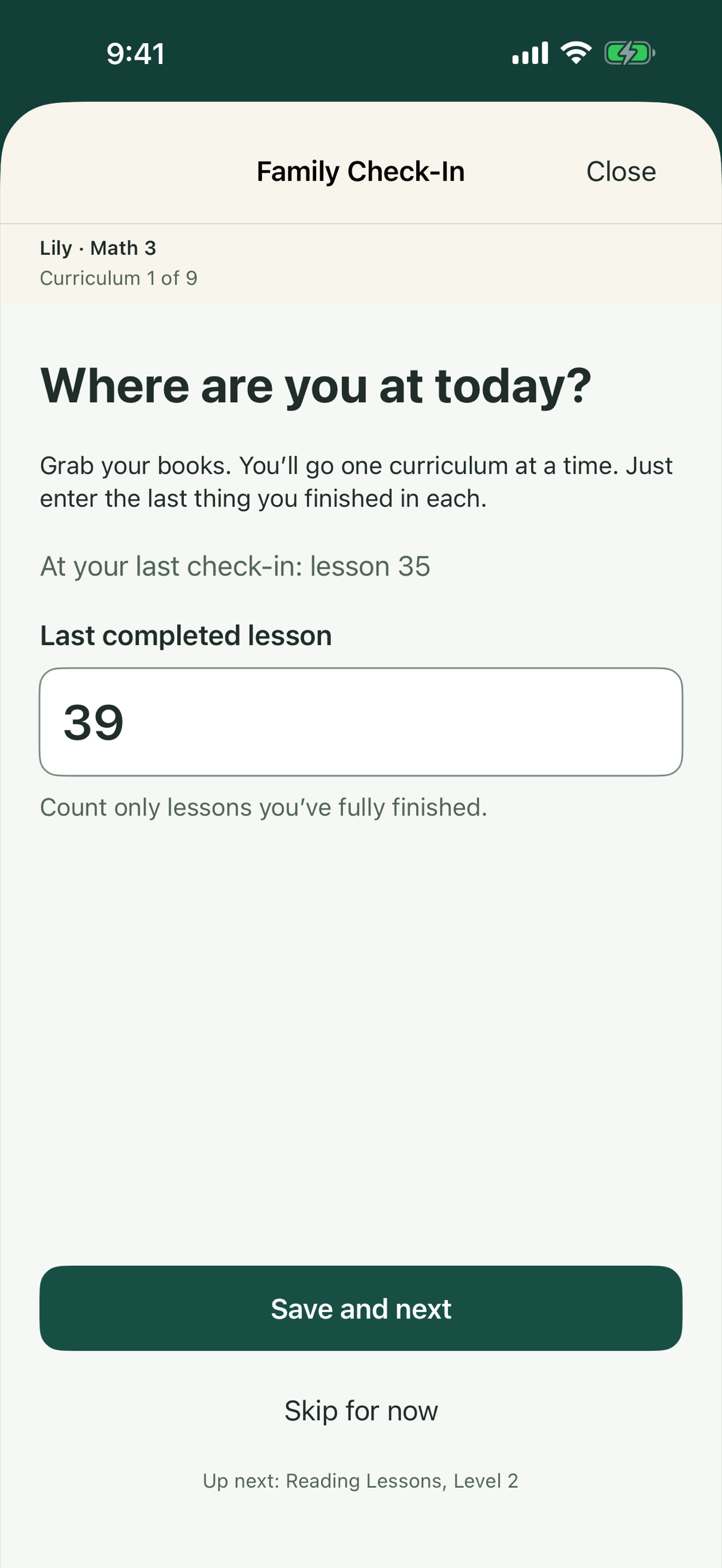
The app does the rest.
Here’s the payoff
“Are we still on track?”
Now you can see it.
Every book gets one picture: where you are, and the line that gets you to the finish.
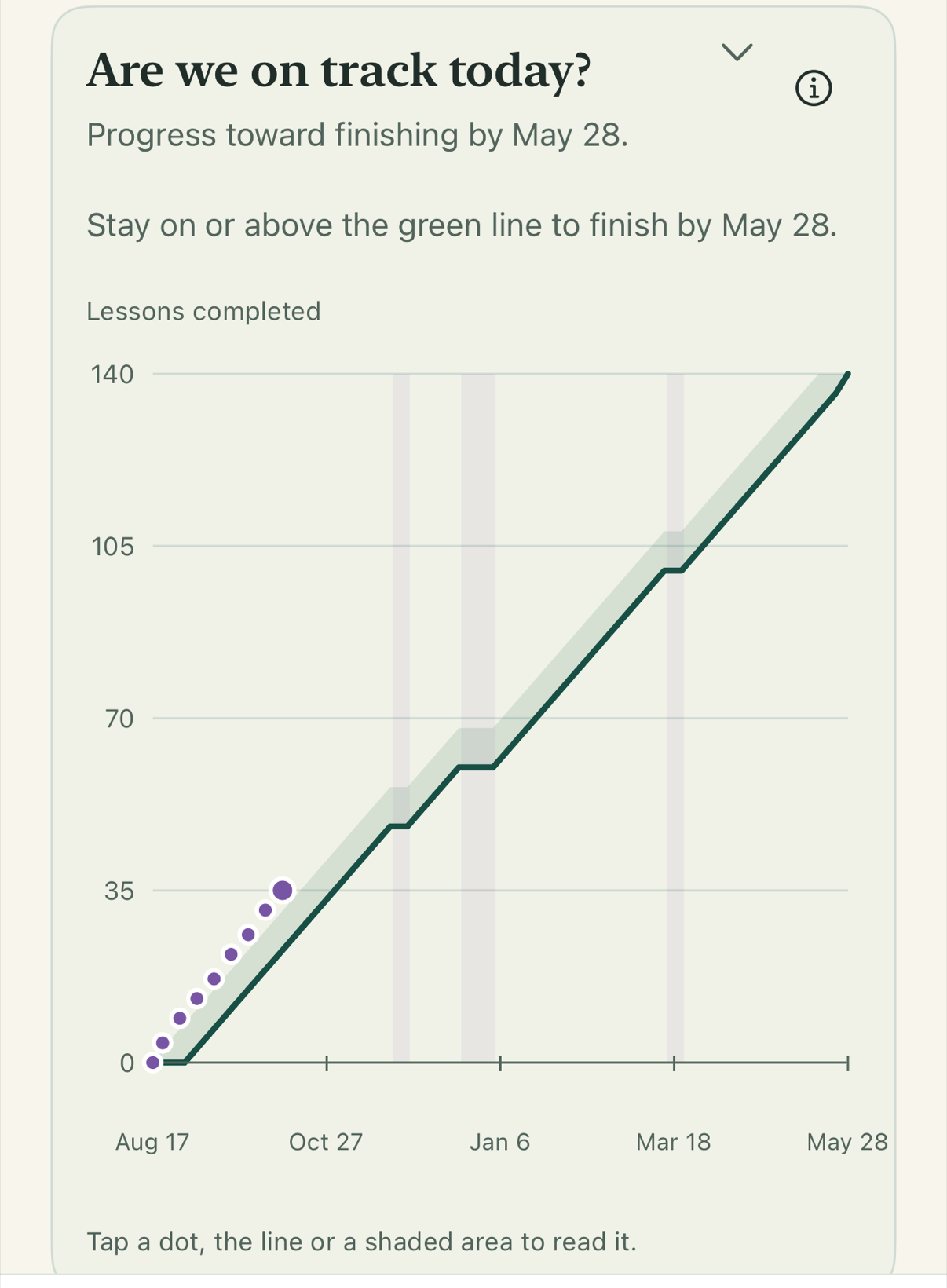
Each dot is a check-in.
Lily’s latest is lesson 35, above the line.
Stay on or above the green line,
and Math 3 is finished by May 28.
Gray bands are your planned breaks.
The line waits, so taking them never puts you behind.
Pale green is breathing room.
Dip into it in a hard week and you’re still on track.
Will she finish by May 28?
She’s on track. Her latest check-in is above the line.
And if things start slowing down?
You’ll see “Worth a look” while there’s still plenty of time, even if you’re on track today. You decide whether anything needs to change.
Room for real life
Life happens.
Your plan expected it.
The stomach bug that took out a whole week. The field trip that became the whole day. Grandma in town. Your plan already set aside breathing room for the weeks you can’t see coming, so when they come, you just live them. No guilt. No rescheduling.
Off track? Three ways back. You choose.
Some years, math just runs long. When a book slips, you won’t get a pile of overdue work. You’ll get three ways back, with real numbers: pick up the pace, push the finish date, or trim what you’ll cover. You’re the teacher. You decide.
Away for a while? Come back without the guilt.
A new baby, a move, a long hard winter. When you come back, there’s no wall of missed days waiting to shame you. Type the lesson you’re on and you’ll see exactly where you stand.
Now put the family in the picture
Different children.
Different books.
One place to check.
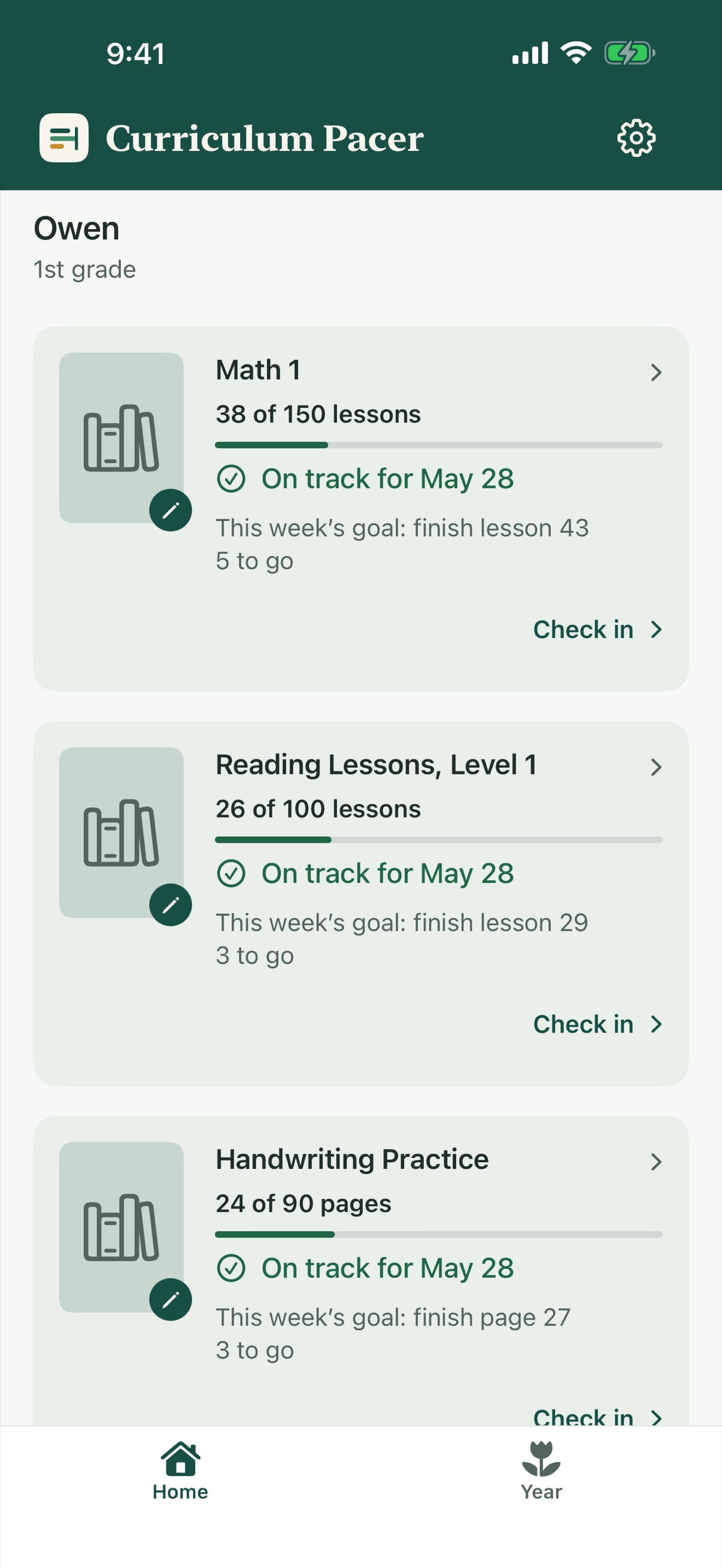
Six books for Lily. Three for Owen. Each one with its own plan and finish date. Family Check-In goes through all nine, one book at a time, and Home shows every child together.
One less thing to keep in your head.
Watch your year grow
Proof you’re
doing enough.
For every mom who has lain awake wondering if she’s doing enough, here’s your answer.
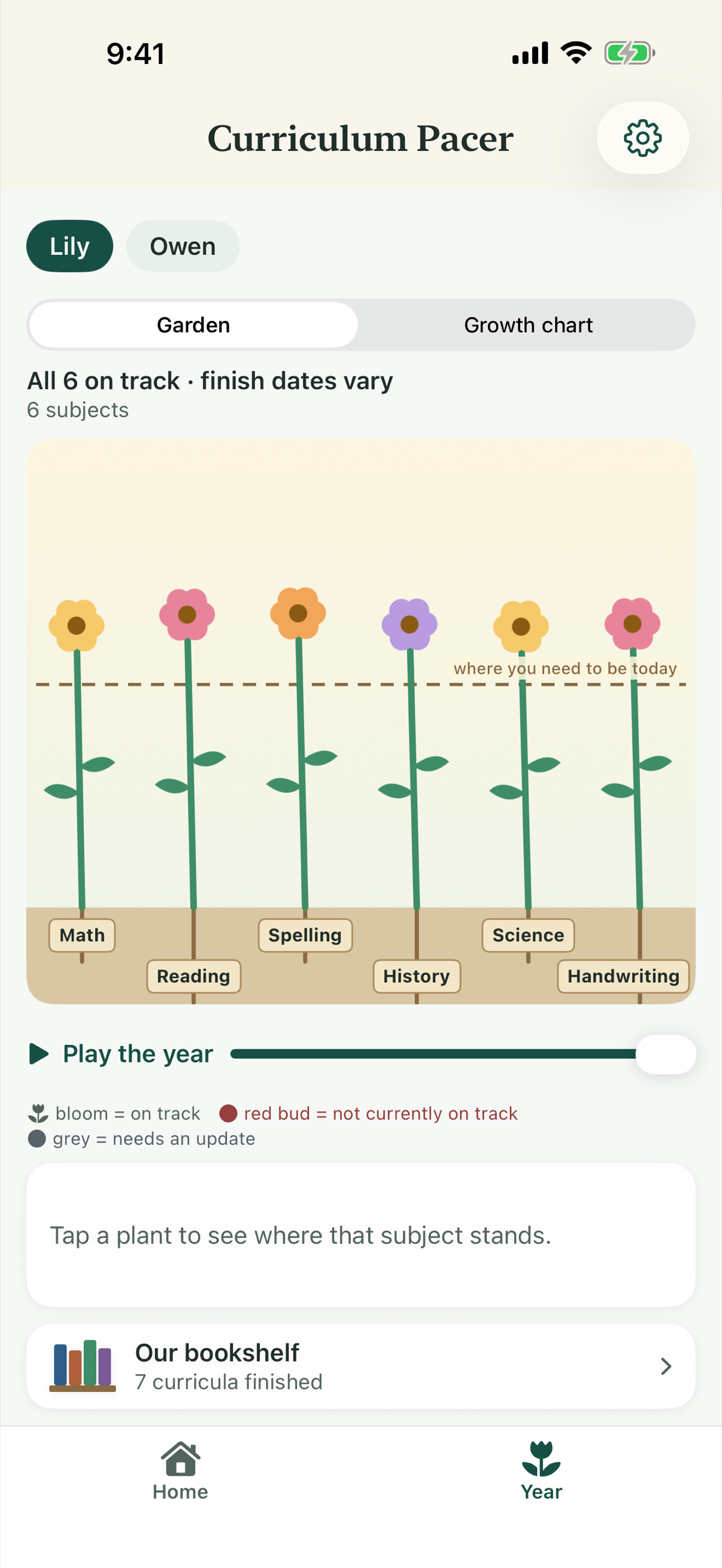
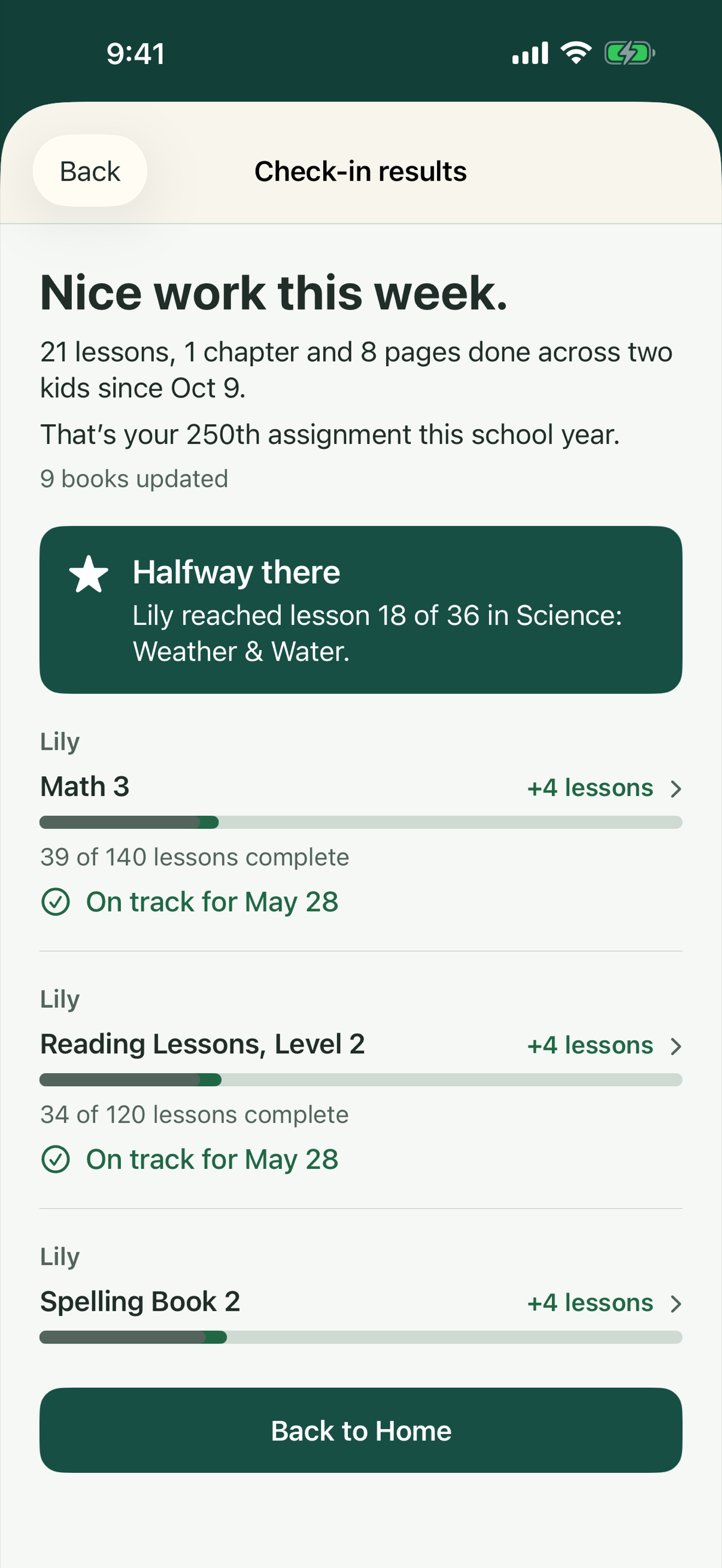
See the whole year at a glance.
Your Garden: one plant per subject, blooming when it’s on track. Press play to watch your year grow.
Notice the good weeks.
Celebrate good weeks and the halfway mark.
Keep what you finished.
Line up every finished book on your family bookshelf.
See everything you didn’t have to do.
Picture a 3rd grader with six books and a 1st grader with three. In eight weeks, that’s 247 lessons, pages and chapters to schedule and check off. Here, it’s 8 check-ins, one a week. Over the whole school year: 938 assignments, 37 check-ins.

Keep the books you use
Works with the books
you already use.
Math, reading, spelling, history, science: anything counted in lessons, pages, chapters or units, even curricula that come in several books. Practice with no finish line, like typing, fits right in too. Every child gets their own plan.
A few practical questions
Before you get started.
Will this become another system to keep up with?
No. Set up each book once. Then check in about once a week: pick up the book and type the lesson you’re on. No daily checklists, no assigning lessons to dates, and nothing to reshuffle when you miss a day.
Will it work with our books?
If you can count it, yes: lessons, pages, chapters, units or your own count, even curricula that come in several books. You type in the progress yourself, so it works with any publisher, on paper or online.
We don’t finish in summer. Is this still for us?
Yes. Pick any finish date. “By summer” is just the most common goal. The date is yours, and so are your breaks.
We’re already partway through the year. Is it too late?
Already halfway through the year? It’s not too late. Enter the lesson you’re on today and you’ll know right away whether you’re on track to finish.
This is our first year homeschooling. Is it for us?
If you’ve picked your books, you’re ready. Setup walks you through your first book one question at a time, and you’ll see the weekly pace before you save.
Does it tell us which lesson to do today?
No. You decide what to teach and when. Each book shows this week’s goal, like “finish lesson 39 · 4 to go,” and following it finishes the book by your date.
What if I forget to check in for a while?
Just check in when you’re back. Type the lesson you’re on. There are no missed days to fill in, and nothing assumes your child fell behind. If you’d like a nudge, you can turn on a weekly check-in reminder.
Does it keep attendance or records for our state?
No. Curriculum Pacer tracks progress toward finishing each book, not attendance or hours. Keep those records the way you do now.
Can I use it for more than one child?
Yes. Add every child and every book. Family Check-In goes through them one book at a time, and Home shows everyone together.
Can my spouse use it too?
Curriculum Pacer is made for the parent who runs school: one parent, one phone. There’s no account and no syncing, so your plans stay on your iPhone.
Which devices does it work on?
iPhone, with iOS 17 or later. There’s no Android version.
What does it cost?
Set up your books and do your first check-in free. Then choose Annual at $39.99 a year, starting with 14 days free; Monthly at $5.99 a month; or Lifetime at $119.99, one time. Apple handles purchases, and you can cancel a subscription anytime in iPhone Settings.
What about our information, or getting help?
Your family’s plans stay on your iPhone. Read the privacy policy, visit Support, or email support@curriculumpacer.com.
Try it free
Get your first answer
before you pay.
Set up your books and do your first check-in on us. See whether every book is on track before you spend a cent. Then choose:
- Annual: $39.99 a year, starting with 14 days free
- Monthly: $5.99 a month
- Lifetime: $119.99, one time
For iPhone · Requires iOS 17 or later.
We’re finishing Apple’s review. Check back soon.